
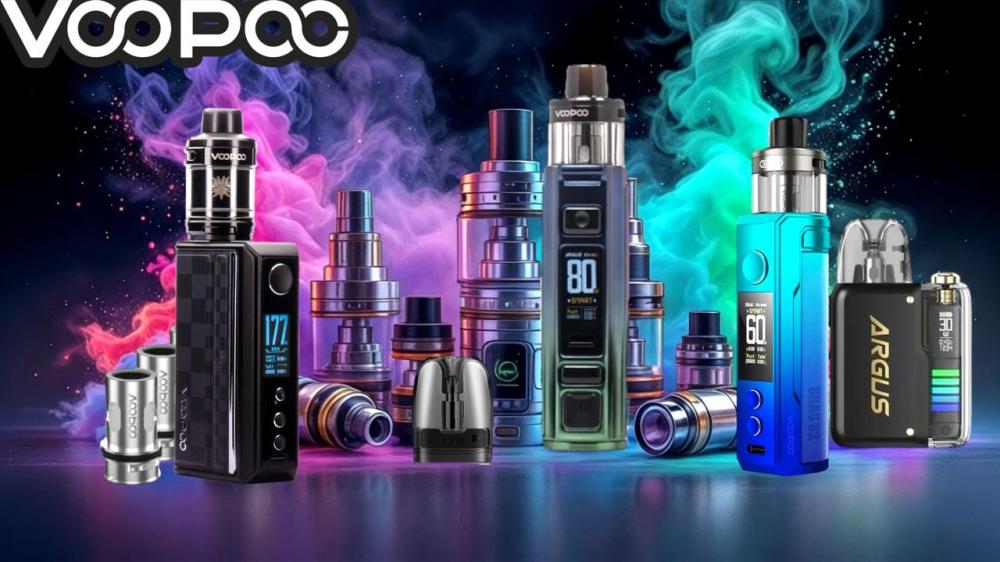
How to Unlock Voopoo Vape Devices:
Are you looking for instructions on how to unlock your Voopoo vape device but unsure? Don't worry, you've come to the right place. Shisha devices boast a variety of modern features, and it can be difficult to understand what each button means without realizing it.
In this blog, we provide a step-by-step guide that covers everything you need to know about unlocking and using your Voopoo Drag device. Like many other vape devices, Voopoo devices, especially the popular Drag series, have excellent security features, but sometimes this can lead to accidental locking. Don't worry, we're here to guide you through the unlocking and use process quickly and easily.
Let's get started!
How to Unlock Your VooPoo Drag Vape Device: A Step-by-Step Guide
To unlock your VooPoo Drag vape device, follow these steps. There may be slight variations between models, but most Voopoo Drag devices follow these instructions:
1. Turn on the device
You can do this by pressing the power button, which is the largest button you'll see on a shisha device. Once located, press it five times in a row, and the device will start up. Its screen will light up, indicating that it is powered on.
2. Access the Menu
Once the device is powered up, you'll be able to access the menu. To access it, you'll need to press the power button three times in a row. This will bring up the menu on the screen. This screen provides important information about your hookah device, including battery life, wattage, and, most importantly, the lock status.
3. Unlock the Device
After opening the menu, you can now navigate to find the unlock option. The device's screen will display a message or icon indicating whether the device has been unlocked. If the device has already been unlocked, it will lock. Repeating this process will unlock it again.
On the device's front, you'll find two buttons labeled "+" and "-." These buttons are primarily used to adjust the power or temperature of the vaporizer, and they also unlock the device. Press and hold these two buttons simultaneously for a few seconds. The locked lock icon will change to an open lock icon, indicating that the device has been successfully unlocked.
4. Test the Device
Once you see the unlock indicator, try pressing the power button to see if the device works. If it does, you've successfully unlocked your VooPoo! Take the time to familiarize yourself with and apply these steps, and you'll be able to lock and unlock your VooPoo in seconds.
Lock Your VooPoo Drag
Just as you learned how to unlock your VooPoo, knowing how to lock it is just as important. Locking your device when not in use prevents accidental activation, especially when carrying it in your pocket or bag. This will prevent your device from accidentally igniting and potentially causing damage.
- To lock your VooPoo Drag, follow the same unlocking steps as above, but press the power button five times instead of using the "+" and "-" buttons.
- Lock Your VooPoo Drag - Problems and Troubleshooting
- If the unlock feature on your VooPoo Drag isn't working, there may be a problem with the device and it needs to be repaired. Common problems with the VooPoo Drag include:
- Battery issues - Many shisha devices don't function properly if the battery isn't sufficient. If your VooPoo isn't sufficiently charged, the device may not respond as expected and cause problems.
Faulty buttons - If your device is sufficiently charged but still won't unlock, you should check the functionality of the buttons. Make sure the power button and the "+" and "-" buttons aren't stuck or damaged. Press each button to see if it responds correctly. If it doesn't, this may be the reason why you can't unlock your device.
Try unlocking several times - Sometimes, repeated attempts may be necessary to unlock your VooPoo Drag. The key is to press the power button five times quickly while simultaneously holding the "+" and "-" buttons. Make sure not to press the buttons too slowly or too gently, as the device may not respond to this pressure.
If nothing works, and you've checked all of the above options, the issue may be more concerning, and you may need to consult the manufacturer. You may be able to get a replacement if your device is new and under warranty, or explore a new vape brand.
Or read our vape device FAQs to see if we've answered any of your questions.
Understanding Your VooPoo Vape Device
You probably chose the VooPoo Drag vape device for its sleek and ergonomic design, powerful performance, and advanced chipset. Other key features and functions of the Drag include:
- PnP Coils - The Drag series is known for its PnP coils designed for both MTL and RTDL vaping, offering a variety of flavors and vapor production.
- Safety Features - VooPoo devices, especially the Drag, include safety features such as a lock/unlock button to prevent accidental activation and an overheating warning to ensure a safe vaping experience.
- User Interface - The device features a user-friendly interface with buttons for power and on/off, allowing for easy navigation and settings adjustment.
- Long-lasting battery - Some models, such as the Drag X and S, use an internal battery, while others, such as the Drag M100S, offer external battery options for longer vaping sessions.
Powering the Voopoo Drag Button:
The following instructions are for the Voopoo Drag S2 model.
- Power On/Off = Press the Power button 5 times
- Clear Puff Count = Press the Power and "-" (down) buttons simultaneously
- Lock/Unlock = Press the Power and "+" (up) buttons simultaneously
- Switch Modes = Quickly press the Power button 3 times
- Enter the Watch Face = Press the Power, "+", and "-" buttons simultaneously
- Enter the Puff Home Face = Press the "+" and "-" buttons simultaneously
- How do I know if my VooPoo Drag is locked or unlocked?
- Determining whether your VooPoo Drag is locked or unlocked may vary slightly depending on the model, but there are some general indicators you can look for.
Often, when a VooPoo Drag is locked, attempting to turn it on will result in a message or icon appearing on the screen indicating that it is locked. When unlocked, the screen will display normal operating information, such as wattage, battery level, and coil resistance.
If your VooPoo Drag is locked, pressing the power button will have no effect, and the device will not produce vapor. Some devices may display a lock icon on the screen when locked.
The most reliable way to determine if your VooPoo Drag is locked is to review the user manual included with your VooPoo Drag. The manual includes detailed instructions and visual cues to help you understand how to unlock the device and take advantage of its other features.
Explore the full VooPoo range with Story Vape
We hope this blog has helped you learn how to unlock your VooPoo device. The automatic lock is a great safety feature to prevent accidental vaping. At TABlites, we offer a wide range of VooPoo vapes, with options to suit all tastes. We're your one-stop destination for all your vaping needs—shop online or visit us in-store today!
For more information, contact us. A member of our team will be happy to assist you. Or call us at +966543538164. All calls are answered immediately, and all emails are responded to within 24 hours, seven days a week.
Frequently Asked Questions About Unlocking a VooPoo Vape Device:
How do I unlock my VooPoo Drag device?
To lock/unlock the VooPoo Drag device, press the power button and the "+" button simultaneously. The product cannot be turned on when locked or its power cannot be adjusted.
Why is my Drag device not working?
If you can't use your VooPoo Drag vape device, first try unlocking it by pressing the power and "+" buttons simultaneously. If that doesn't work, check the screen for an error message indicating the problem. If the error message "Check Battery" appears, you'll need to recharge your device.
How long does the VooPoo Drag battery last?
Depending on the model, a VooPoo Drag vape device typically provides a full day of use on a single charge. Models like the Drag S and Drag S2 feature 2500mAh batteries and fast charging capabilities, while the heating coils last up to 100ml of e-liquid.